3. Microstepping Configuration on CNC Shield V3 (Jumpers)
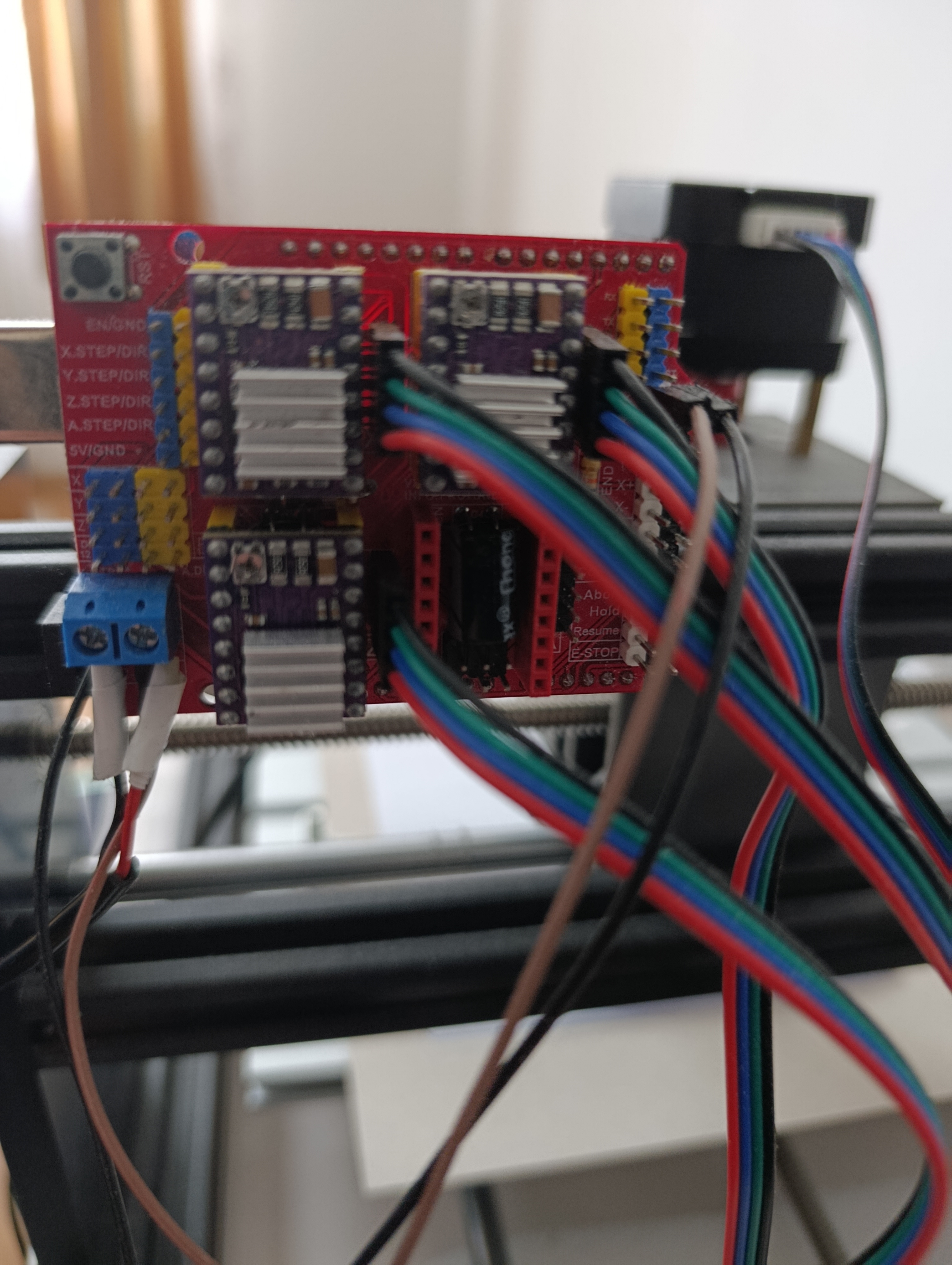
Under each driver socket on the CNC Shield V3, there are three pairs of pins for jumpers:
-
MS1
-
MS2
-
MS3
By placing or removing jumpers on these three positions, you select the microstepping mode.
Installing a plastic jumper cap shorts the two pins, pulling the logic level HIGH. Leaving them open keeps the logic level LOW.
3.2. Configuration Truth Tables
Table A: A4988 Configuration
| Resolution | M0 (MS1) | M1 (MS2) | M2 (MS3) | Effect |
|---|---|---|---|---|
| Full Step | Open | Open | Open | Maximum Torque, High Vibration, Loud. |
| 1/2 Step | High | Open | Open | Smoother, standard for many Z-axes. |
| 1/4 Step | Open | High | Open | |
| 1/8 Step | High | High | Open | |
| 1/16 Step | High | High | High | Best resolution for A4988, smoothest motion. |
Table B: DRV8825 Configuration
| Resolution | M0 (MODE0) | M1 (MODE1) | M2 (MODE2) | Effect |
|---|---|---|---|---|
| Full Step | Open | Open | Open | Rough motion. |
| 1/2 Step | High | Open | Open | |
| 1/4 Step | Open | High | Open | |
| 1/8 Step | High | High | Open | |
| 1/16 Step | Open | Open | High | Different from A4988! |
| 1/32 Step | High | High | High | Maximum smoothness, requires higher pulse rate from Arduino. |
Recommendation: For most CNC applications, install all three jumpers (High-High-High). For A4988 this gives 1/16 step; for DRV8825 this gives 1/32 step.
3.3. Physical layout of jumpers under one driver
If you look at the CNC Shield V3 from above, for each axis you will see three jumper positions in a row:
Top view, one driver socket (for example, X axis):
[DRV8825 module]
▲
|
-------------
| |
| socket |
| |
-------------
MS1 MS2 MS3
[ ] [ ] [ ] ← jumper positions on the shield
You set the desired microstepping by installing or removing these jumpers before plugging in the driver.
3.4. Example microstepping configuration
For example, if you want 1/16 microstepping on DRV8825:
-
MS1 = 0 → no jumper
-
MS2 = 0 → no jumper
-
MS3 = 1 → jumper installed
So you would place only one jumper on the MS3 position for that axis.
If you want 1/32 microstepping (maximum resolution):
-
MS1 = 1 → jumper installed
-
MS2 = 0 → no jumper
-
MS3 = 1 → jumper installed
So you would place jumpers on MS1 and MS3, leaving MS2 open.
You can configure each axis independently, depending on the mechanics of your machine.
4. Setting the Driver Current: Adjusting Vref on DRV8825
The DRV8825 uses a current-limiting chopper driver. The maximum current supplied to the motor coil is controlled by the reference voltage Vref, which you set by turning a small potentiometer on the module.
Correct current setting is crucial:
-
Too low → motor is weak, loses steps, no torque.
-
Too high → driver overheats, motor overheats, the system may be damaged.
4.1. Relationship between Vref and current for DRV8825
For a typical DRV8825 module with sense resistor Rs, the approximate formula is:
Where:
-
Imax = maximum current per coil
-
= reference voltage measured on the potentiometer
-
Rs = sense resistor value on the module (usually printed as “R10” = 0.10 Ω or similar)
Rearranging this formula to compute Vref for a desired current:
If Rs = 0.10 Ω, which is common, then:
Examples:
-
For a motor with rated current 1.0 A per phase:
-
For a motor with rated current 1.5 A per phase:
You usually set
Imax slightly below the motor’s rated current (for example, 80–90%) to reduce heating.
Note: On a real board, Rs may differ. You should check the printed marking (e.g. R100, R150). For Rs = 0.10 Ω, R100; for Rs = 0.05 Ω, R050, etc., and adjust the formula accordingly.
4.2. Step-by-step procedure: How to measure and adjust Vref
This is the critical practical part. Follow these steps carefully.
4.2.1. Preparation
-
Make sure the Arduino + CNC Shield assembly is powered only from logic supply at first.
-
USB connected to Arduino, or
-
external 12–24 V supply connected to the CNC shield, but you can start with only logic power.
-
-
Make sure the motors are connected to the shield terminals.
-
Ensure that the driver is correctly oriented and fully seated in the socket.
-
Set your multimeter to DC voltage measurement, with a range that can display around 0–2 V.
4.2.2. Where to place the multimeter probes
On the DRV8825 module:
-
The GND reference point is usually available on one of the GND pins, or you can use any GND pad on the CNC Shield (for example, GND on a power input terminal).
-
The Vref test point is usually the metal top of the potentiometer or a small exposed pad near it (often connected to the wiper).
The procedure:
-
Connect the black probe of the multimeter to GND of the CNC Shield.
-
You can use a GND screw terminal, a GND pin header, or a GND pad; choose a point that is convenient and solid.
-
-
Carefully touch the red probe to the metal part of the potentiometer on the DRV8825 (the small screw or exposed solder pad).
-
Be careful not to short the potentiometer to nearby pins with the probe tip.
At this moment, with the system powered, you should see a small voltage on the meter, typically between 0.3 V and 1.0 V depending on the current setting.
4.2.3. How to turn the potentiometer and what direction means
The potentiometer on DRV8825 is a small multi-turn or semi-turn screw. The directions can vary slightly between different manufacturers, so you should always:
-
Turn the screw very slowly.
-
Watch the multimeter as you turn.
General behavior for most boards:
-
Turning clockwise usually increases Vref → increases current.
-
Turning counterclockwise usually decreases Vref → decreases current.
Step-by-step:
-
Note the initial Vref reading.
-
If you want to reduce current, gently turn the screw a very small amount counterclockwise and watch if Vref goes down.
-
If you want to increase current, gently turn the screw a very small amount clockwise and watch if Vref goes up.
-
After each small rotation, remove the screwdriver and check the multimeter reading again to avoid accidental short circuits.
You should never make large, fast turns. Always adjust gradually and control the result on the meter.
4.2.4. Example adjustment workflow
Suppose:
-
Motor rated: 1.0 A per phase
-
Sense resistor Rs = 0.10 Ω
-
Desired Imax ≈ 0.8 A (80% of rated)
-
Compute Vref:
-
Power the system as described.
-
Measure initial Vref (for example, it shows 0.25 V).
-
Turn the potentiometer clockwise very slightly until the meter shows around 0.40 V.
-
Stop turning, remove the screwdriver, recheck.
-
Repeat the same procedure for all other drivers (X, Y, Z).
After that, you can perform test movements. During the first tests, periodically check:
-
Driver temperature (touch the heatsink quickly with a finger — it may be hot but should not be burning).
-
Motor temperature.
If everything stays within reasonable temperature and torque is sufficient, the setting is correct.
5. Short Note on Arduino Pins to CNC Shield Signals (Optional Mapping)
This is not necessary for wiring the motors, but for completeness, here is how the CNC Shield V3 typically maps Arduino Uno digital pins to the driver control signals when using GRBL:
Axis | STEP pin (Arduino) | DIR pin (Arduino) | ENABLE (shared)
-----+---------------------+------------------+----------------
  X  |         D2          |       D5         |      D8
  Y  |         D3          |       D6         |      D8
  Z  |         D4          |       D7         |      D8
You usually do not need to wire these manually, because the CNC Shield connects them internally, but this mapping is useful when checking or debugging firmware settings.